Map Your Thoughts with Generative UI
Ask a question and get a canvas, not a chat log. Answers become connected visual cards you can explore, question and build on.
Early access is opening in small groups. No spam.
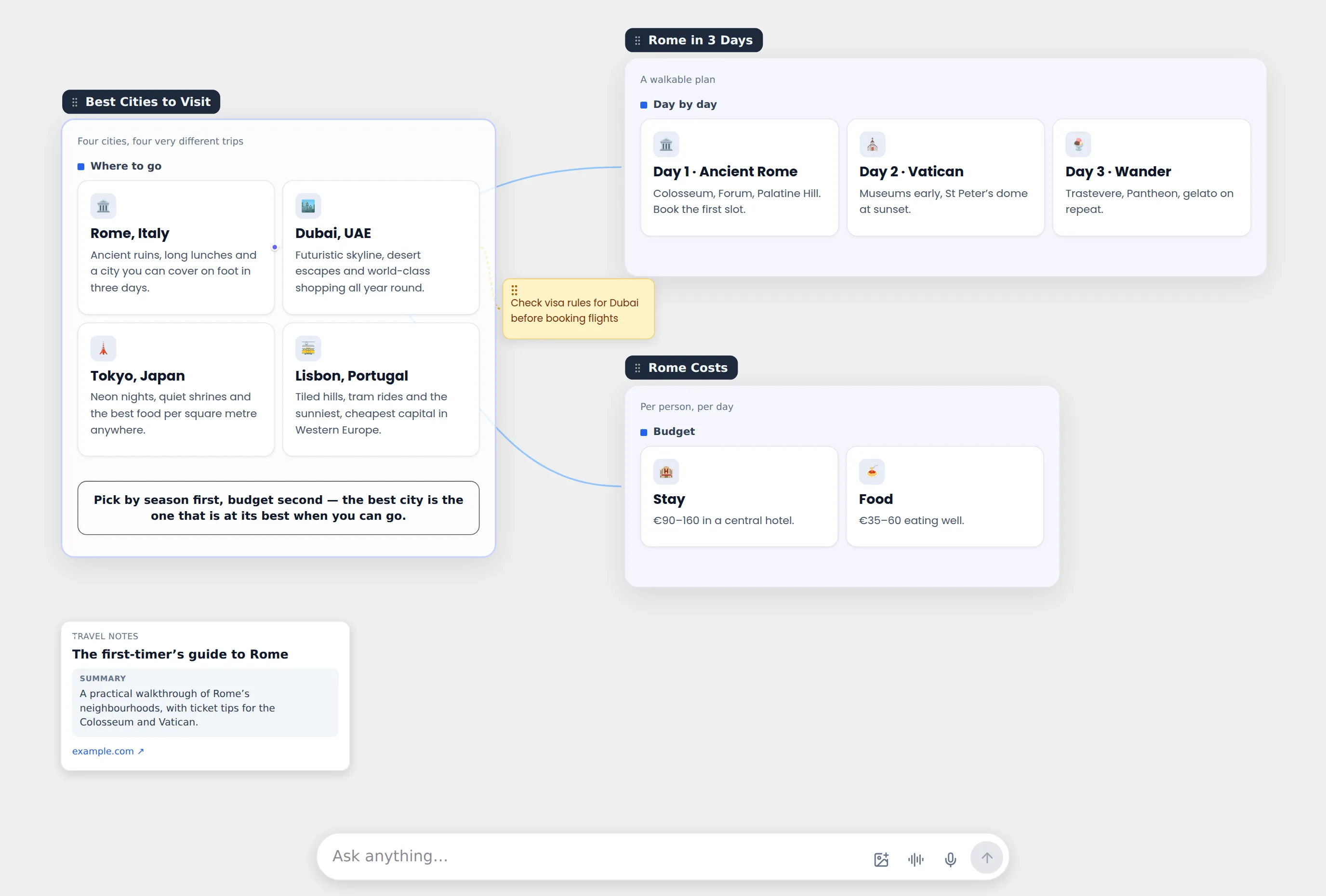
From Endless Text to Visual Clarity
- Every answer is structured into clear, readable cards — not a paragraph you have to dig through.
- Icons and images add context at a glance, so ideas are easier to remember.
- Grasp a complex topic in seconds, with no more endless scrolling.
Everything you think with, on one canvas
Questions, answers, notes, voice, links and photos live side by side — connected to what they’re about.
Branch from any card
Ask about one card and the answer grows from exactly that card. Your thinking becomes a map, not a scrolling thread.
Notes in your own words
Pin a note or a to-do to any answer, card, photo or link. Add a photo and write about it right there.
Voice notes that write themselves
Record a thought while you read. It stays playable, and a short written version appears beside it.
Paste a link, get a card
Websites become cards with a preview and summary. YouTube links play in place — and get explained.
Zoom out to the map
Zoom far enough and the canvas becomes a flow of your questions and answers. Click any dot to fly back in.
Publish and share
Turn a canvas into a page anyone can open. Visitors can make their own copy and keep exploring.
Zoom out. See how you think.
Keep zooming out and your canvas turns into a living map: big dots for the questions that moved you forward, small blue dots for the detours, yellow for your notes — joined by the path you took.
Why not just chat?
Chat is great for quick answers. It’s a poor place to think.
Answers should be places you can walk through
We’re building a workspace where every question leaves behind something you can see, rearrange and come back to — a second brain that reasons over what you’ve built, not a list of old messages.